 EN
EN IT Italiano
 ES Español
 FR Français
 DE Deutsch
Description
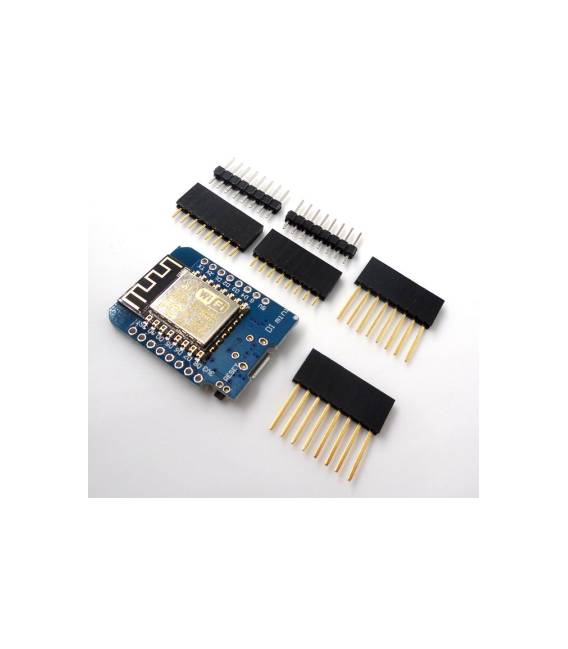
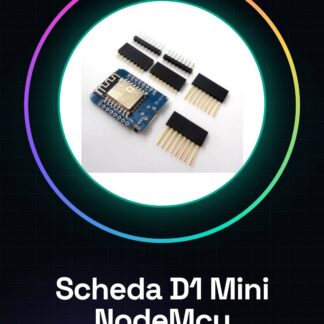
What is the D1 Mini NodeMcu Lua WIFI ESP8266? The D1 Mini NodeMcu Lua WIFI ESP8266 is a development solution for electronic projects requiring WiFi connectivity. This device integrates an ESP8266 microcontroller with support for Lua programming, making it suitable for both beginners and more experienced makers. Features Ideal for applications that require integrated WiFi connectivity Use cases Suitable for creating home alarm systems that send email notifications, remote monitoring, and other wireless communication applications. Compatible with the Arduino development environment and can be used with languages like Lua. Tutorial: How to use D1 Mini NodeMcu Lua WIFI ESP8266 The D1 Mini NodeMcu Lua WIFI ESP8266 is ideal for projects that require WiFi connectivity. It’s perfect for beginners and intermediate makers who want to start working with wireless devices. What you need Arduino IDE Computer running Windows, macOS or Linux USB A-Micro B cable Power supply (5V – 12V) Steps Install the Arduino development environment and necessary drivers for the board. Download and install the ESP8266 library from Preferences > Add repository URL: https://arduino.esp8266.com/stable/package_esp8266com_index.json Open Arduino IDE, select Boards > ESP8266 and choose D1 Mini NodeMcu Lua WIFI ESP8266 from the list. Connect the board to your computer via USB A-Micro B cable. Verify that the device is recognized by the operating system (Windows: Device Manager, macOS/Linux: ls /dev/tty*) Open a simple example like ‘WiFiScan’ from Arduino IDE’s sidebar and upload it to the board. Check WiFi connectivity through the Arduino IDE Serial Monitor (Tools > Serial Monitor). Modify the example to customize network settings or add new features. Example code void setup() { Serial.begin(115200); WiFi.begin(“SSID”, “PASSWORD”); // Refer to datasheet } void loop() { if (WiFi.status() == WL_CONNECTED) { Serial.println(WiFi.localIP()); } } Mini-project Create a simple home alarm system that sends an email notification when the main door is opened. Common errors Firmware upload error: check USB connection and driver installation. Unable to establish WiFi connection: verify SSID settings
Reviews
There are no reviews yet.