 EN
EN IT Italiano
 ES Español
 FR Français
 DE Deutsch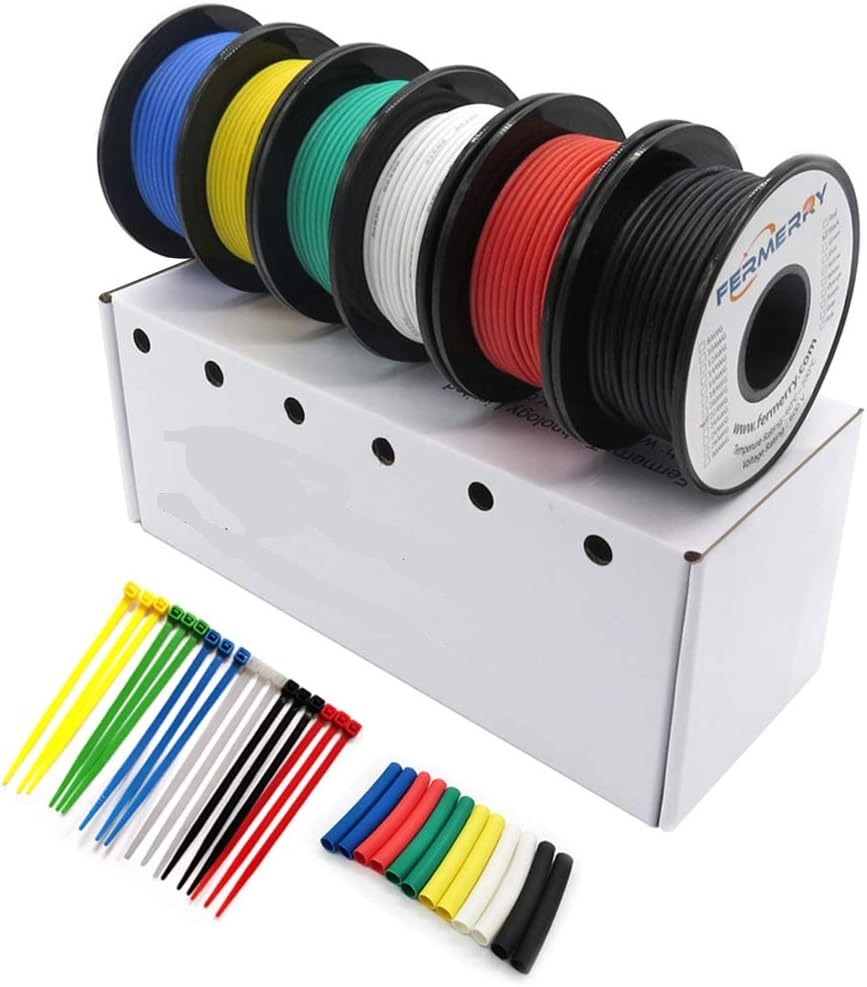
Description
What it is
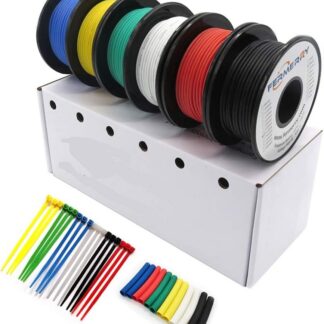
30 AWG tinned copper wire spools with silicone insulation, length 20 meters, are an essential component for electronic projects, Arduino, and 3D printing. These spools are available in six different colors: white, black, blue, red, green, and yellow.
Features
- 30 AWG tinned copper wire
- Silicone insulation
- Length: 20 meters
- Available in six colors: white, black, blue, red, green, and yellow
What it is for
30 AWG wires are ideal for connecting electronic components in Arduino and 3D printing projects. They are useful for beginners and makers who are looking for a high-quality wire to connect sensors and power circuits. For example, they can be used to create a simple lighting circuit for Arduino by connecting an LED to an Arduino pin and using a button to turn the light on and off.
Tutorial: How to use 30 AWG silicone wire spools
These stranded copper tinned wire spools with silicone insulation are ideal for connecting electronic components in Arduino and 3D printing projects. They are useful for beginners and makers looking for quality wire to connect sensors and power circuits.
What you need
- Arduino Uno
- Wire cutter
- Assortment of wires to connect
- Wire crimping pliers
- Connectors
Steps
- Cut the necessary wire from the spool using a wire cutter.
- Wrap the ends of the wires with the crimping pliers to prevent them from coming loose.
- Connect the wires to the Arduino pins using the connectors.
- Check the connection with a multimeter to ensure proper contact.
- If necessary, wrap the wire around components to protect them.
- Repeat the steps for all necessary wires.
- Test the circuit with a simple Arduino sketch.
- Check the datasheet for additional specifications such as electrical resistance.
Example code
/* Esempio di sketch Arduino per testare i fili
  Verifica che i fili siano correttamente collegati ai pin di Arduino
  e che il circuito funzioni correttamente. */

void setup() {
  pinMode(LED_BUILTIN, OUTPUT); // Imposta il pin interno della LED come OUTPUT
}

void loop() {
  digitalWrite(LED_BUILTIN, HIGH); // Accendi la LED interna
  delay(1000); // Attendi 1 secondo
  digitalWrite(LED_BUILTIN, LOW); // Spegni la LED interna
  delay(1000); // Attendi 1 secondo
}
Mini project
Create a simple lighting circuit for Arduino using 30 AWG wire. Connect an LED to an Arduino pin and use a button to turn the light on and off.
Common mistakes
- Do not properly strip the ends of the wires, causing a short circuit.
- Cut too little wire, making it difficult to connect.
- Do not check the wire connections before testing the circuit.
- Use wire that is too thin or too thick for the project.
Recommended accessories
- Wire cutters
- Wire crimping pliers
- Wire connector
- Multimeter
Frequently asked questions
What is the recommended maximum length for a single wire?
Check the datasheet for additional specifications.
How can I protect the connected wires?
Wrap the wire around components or use wire protection tubing.
Can I use these wires for 3D printing projects?
Yes, these wires are suitable for connecting sensors and powering circuits in 3D printing projects.
Reviews
There are no reviews yet.