 EN
EN IT Italiano
 ES Español
 FR Français
 DE Deutsch

Description
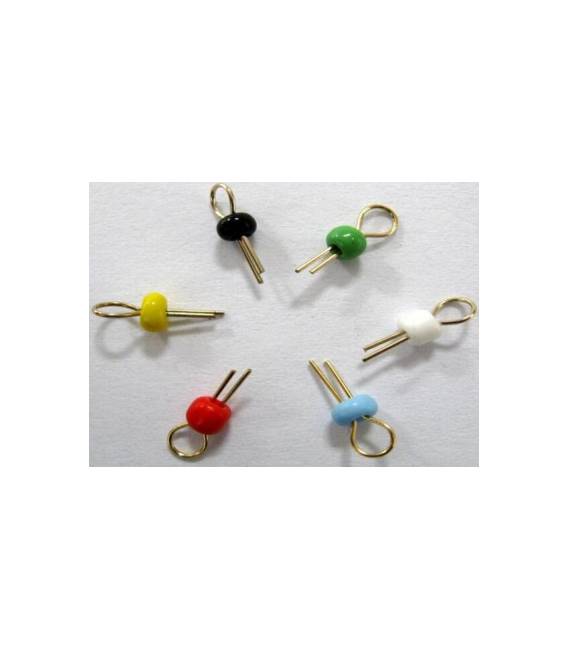
Tutorial: How to Use the 10 Point PCB Board Test Kit The 10 Point PCB Board Test Kit is a practical tool for verifying the electrical integrity of circuits. It is ideal for both beginners and experts who want to quickly check connections. What You Need Arduino Uno Jumper wires Breadboard Steps Connect the 10 Point Test Kit to your Arduino’s serial port using a USB cable. Configure the Arduino IDE for serial communication: see settings -> serial monitor. Load the example sketch provided in the Arduino IDE (see below). Open the Serial Monitor and verify that the values of the 10 test points are correct. If a value is not within range, check the jumper cable connection and repeat the operation. Example Code //Example sketch to read the 10 test points of the PCB board Mini-project Create a small automatic test station that regularly monitors the values of the 10 test points and sends an alarm signal if one of them is out of range. Common Errors Incorrect jumper cable connection Incorrect serial settings Inaccurate reference value Recommended Accessories Arduino Uno (SKU: ARD001234) Jumper wires for BreadBoard (SKU: ARD005678) Large Breadboard (SKU: ARD009101) Frequently Asked Questions What are the 10 test points? Check the product datasheet. How can I configure the serial monitor? Go to ‘Tools’ -> ‘Serial Monitor’. Set the speed corresponding to your Arduino. What is the purpose of an automatic test station? It allows continuous and automated monitoring of circuits without manual intervention.




Reviews
There are no reviews yet.